3PL warehouse management

3PL WMS: warehouse management software for multi-client warehouses

EZwarehouse is a cloud 3PL WMS that runs every client's stock from one account. Each client gets their own login to see their stock and request shipments, your team works only in the warehouses and menus you assign, and every finished job is priced at that client's rates.

3PL warehouse management

How a 3PL order runs in EZwarehouse

  1. 01

    Client requests

    The client books an inbound or outbound shipment in their portal, or the order arrives from their store.

  2. 02

    Warehouse approves

    Your team approves the request, asks for changes or rejects it.

  3. 03

    Scan, pick and pack

    Staff receive, pick and pack with a barcode check at every step.

  4. 04

    Charged at client rates

    Each finished job is priced at that client's handling rates and extras.

  5. 05

    Client sees the result

    Stock, tracking number and costs update in the client's portal.

A portal for every client

Clients sign in to see their own stock, inbound and outbound history and costs, and to request inbound and outbound shipments. The warehouse approves each request, asks for changes or rejects it, and the client sees the tracking number once it ships.

See it in the app · Walkthrough with English narration and subtitles in your language, recorded with demo data.

Turn warehouse work into billable revenue

Apply customer-specific handling rates and extra charges when work completes, then export an accurate cost report for invoicing.

See it in the app · Walkthrough with English narration and subtitles in your language, recorded with demo data.

Permissions by warehouse and menu

Give each staff account the warehouses it can see and the menus it can use, so casual staff on one site see only the work in front of them.

See it in the app · Walkthrough with English narration and subtitles in your language, recorded with demo data.

Collaborative Access

Invite staff with role-based permissions, or provide customers (for 3PLs) with their own login to view their stock and history.

Multi-Warehouse Management

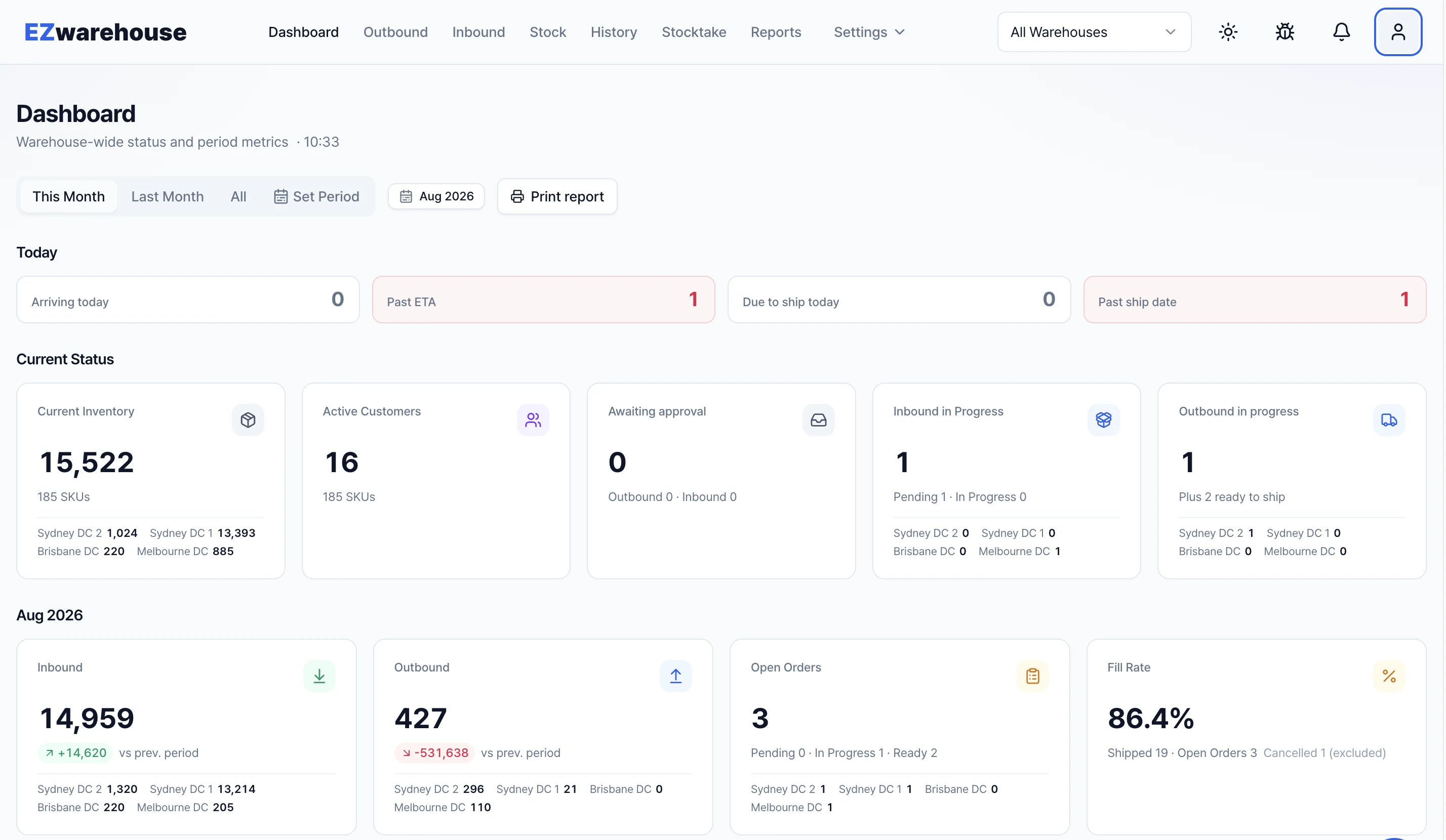
Seamlessly manage and monitor inventory across multiple warehouse locations from a single, unified dashboard.

Stop answering the same status questions

Customers can check their own stock, inbound history and dispatch status without chasing your warehouse team.

See pricing

Made in Australia

Built and run by an Australian company, for the way Australian warehouses work

EZwarehouse is not an overseas system translated for Australia. It is made by an Australian company and runs every day on an Australian 3PL floor, so AUD, GST, Sydney time and local carriers work from day one, with nothing to localise.

An Australian company

Developed and operated by ST Humans Pty Ltd, an Australian company. Your subscription, tax invoices and support all come from Australia.

Proven on a real Australian warehouse floor

EZwarehouse runs every day inside an Australian 3PL, handling receiving, picking and dispatch for brands from K-beauty to batteries and food. Features are shaped by what that floor needs, not by a sales deck.

AUD pricing, GST included on the invoice

Every plan and add-on is priced in Australian dollars excluding GST, and GST is shown on every line of your tax invoice. No currency conversion, no surprise fees.

Runs on Sydney time

Daily stock snapshots, cut-offs and reports follow Australian Eastern time, and dates read DD/MM/YYYY, the way your team and your clients write them.

Your database lives in Australia

The warehouse database is hosted in Google Cloud’s Melbourne region, encrypted at rest and backed up daily, and personal information is handled under Australian privacy law.

Works with the carriers you already use

Australia Post, StarTrack, local couriers or your own van: add any carrier with its tracking link, and tracking numbers flow back to Shopify, the client portal and webhooks.
FAQ

Questions warehouse teams ask us first

Can my customers see their own stock?

Yes. Each 3PL customer gets their own login that shows only their stock, inbound and outbound history. You decide what every role can see and do.

Do I have to migrate everything before I can start?

No. Bring a CSV of your products and current stock and you can be receiving on day one. During the free trial our team helps you with the first import.

Put your warehouse on EZwarehouse this week

15-day free trial · No credit card required · Cancel anytime

Start free trial